
On 20 May 2026 GitHub published that it had detected and contained a compromise of an employee device involving a poisoned VS Code extension published by a third party, and that the activity involved exfiltration of GitHub-internal repositories. The part worth the attention of everybody who is not GitHub is in the payload analysis: the harvester went through the usual tokens, and it also read the settings file of an AI coding agent.
TL;DR
- GitHub published on 20 May 2026: “On Monday May 18, we detected and contained a compromise of an employee device involving a poisoned VS Code extension published by a third party.”
- GitHub’s assessment: “the activity involved exfiltration of GitHub-internal repositories only”. The attacker claimed about 3,800 repositories, which GitHub called directionally consistent.
- Per StepSecurity, the malicious Nx Console build was on the marketplace for about eleven minutes and the extension has over 2.2 million installations.
- The harvester matched GitHub tokens, npm and OIDC tokens, AWS credentials, 1Password and Vault access, and specifically an AI coding agent settings file.
- GitHub: “We have no evidence of impact to customer information stored outside of GitHub’s internal repositories.” Critical secrets were rotated Monday and into Tuesday.
#What GitHub published
GitHub’s post is short and unusually plain. A developer installed a version of an extension that should not have existed. The device was compromised. The company removed the malicious version, isolated the endpoint, began incident response, and rotated critical secrets starting the same day, highest impact first.
It states what was taken: GitHub-internal repositories. It states what was not: “We have no evidence of impact to customer information stored outside of GitHub’s internal repositories, such as our customer’s own enterprises, organizations, and repositories.”
The exposure window is where the published accounts diverge slightly. StepSecurity puts the malicious version on the marketplace from 12:36 to 12:47 UTC, eleven minutes. Other reporting says eighteen. GitHub does not give a number. In either case it is a window measured in minutes against an extension with over two million installations.
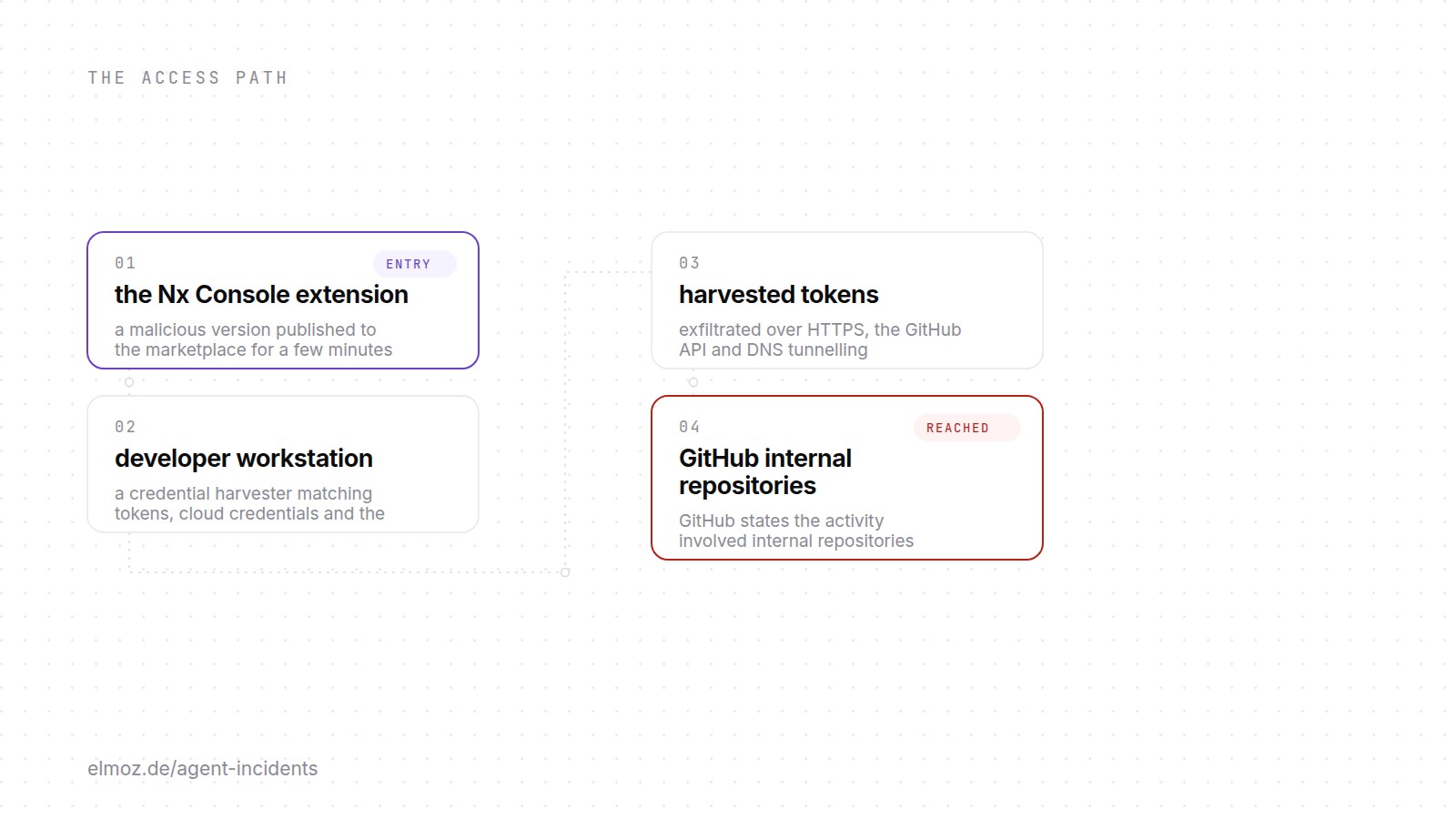
#The access path, step by step
# as published by GitHub and StepSecurity, May 2026
extension marketplace# a malicious Nx Console version, live for a few minutes
  → developer workstation# obfuscated harvester, pattern-matching credential locations
  → harvested tokens    # GitHub PATs, npm and OIDC, AWS, vaults, agent settings file
  → three channels      # HTTPS to C2, the GitHub API itself, and DNS tunnelling
  → internal repositories# GitHub: internal repositories only; attacker claimed ~3,800
Note the third step. Using the GitHub API as an exfiltration channel means the traffic is a developer machine talking to GitHub, which is the least interesting thing a developer machine does.
#The editor is an identity supply chain
An extension runs with the full access of the person who installed it. That is not a flaw, it is the deal: an editor extension that could not read your files or run your toolchain would be useless. But it means the marketplace sits upstream of every credential on that machine, and it is a distribution channel with publishing automation, not a vendor with a procurement process.
Most organisations treat it accordingly in exactly one respect and not the others. They will tell you which packages are allowed in package.json. Very few can tell you which extensions are installed across their engineering laptops, who approved them, or what changed in last week’s auto-update.
And the window here was minutes. Any control that depends on somebody noticing a bad version in time did not apply.
#Why the agent settings file is the line that matters
StepSecurity’s analysis lists what the harvester looked for. Most of it is the familiar set: GitHub personal access tokens by prefix, npm registry and OIDC tokens, AWS credentials from the instance metadata service and Secrets Manager, 1Password CLI, HashiCorp Vault. And then, specifically, the settings file of an AI coding agent.
That single entry is the whole story for the rest of us. A pattern only lands in a harvester when the author expects to find it, and expects it to be worth something. Someone decided that the file an agent keeps its configuration in is now standard loot, alongside AWS keys.
It is the same movement visible in the ChainDrop worm three months later, which went from 189 scanned credential locations to 469 and named AI tool configs explicitly. Two independent campaigns, same conclusion: agent configuration is now a credential store, and it is being treated as one by the people writing the scanners rather than by the people writing the policies.
#What to check this week
- Can you list the editor extensions installed across engineering? If not, that is the first finding, and it is independent of this incident.
- Check whether extensions auto-update on your fleet. Auto-update is usually the right default for security patches and is also what made an eleven minute window sufficient here. Decide deliberately, do not inherit it.
- Treat the agent settings file as a credential location. Add it to your secret scanning paths, your endpoint rules, and your offboarding checklist.
- Prefer short-lived tokens on developer machines. A personal access token with no expiry is the thing these harvesters are built for; a short-lived one is worth much less by the time it is exfiltrated.
- Watch for the quiet channels. DNS tunnelling and the vendor’s own API are both normal-looking traffic from a developer laptop. Egress rules that only consider unknown domains will not see either.
On Elmoz
#FAQ
What happened in the GitHub internal repositories incident?
GitHub reported that on 18 May 2026 it detected and contained the compromise of an employee device involving a poisoned VS Code extension published by a third party. Its current assessment is that the activity involved exfiltration of GitHub-internal repositories only. The attacker claimed about 3,800 repositories, which GitHub described as directionally consistent with its investigation.
Was customer data affected?
GitHub states: "We have no evidence of impact to customer information stored outside of GitHub’s internal repositories, such as our customer’s own enterprises, organizations, and repositories." GitHub rotated critical secrets starting the day of detection, prioritising the highest-impact credentials.
What did the harvester collect?
Per StepSecurity’s analysis, GitHub personal access tokens, npm registry and OIDC tokens, AWS credentials from the instance metadata service and Secrets Manager, 1Password CLI and HashiCorp Vault access, and the settings file of an AI coding agent. Exfiltration used three channels: HTTPS to a command and control domain, the GitHub API, and DNS tunnelling.
What should teams do about editor extensions?
Start with an inventory, because most organisations cannot name what is installed. Then make auto-update a deliberate decision rather than an inherited default, add agent configuration files to secret scanning and endpoint rules, and prefer short-lived tokens on developer machines so that what is harvested expires on its own.
Your package manifest is reviewed. Your extensions and your agent configuration usually are not, and both sit upstream of every credential on the machine. Elmoz discovers AI agents and the machine identities behind them and shows what each one reaches.